Camera Movement Prompts for AI Video: 14 Moves and How to Write Them
 Dola Team
A practical vocabulary of camera movements for AI video prompts — push-in, orbit, crane, tracking, handheld and more — with example prompts, what each move is good for and the mistakes that make clips look wrong.
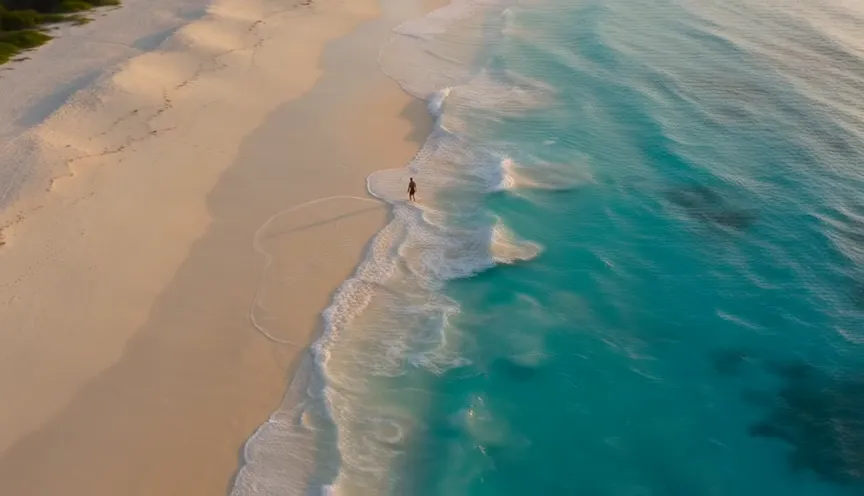
The difference between an AI clip that looks like a stock photo with a wobble and one that looks filmed is usually the camera. A clear camera instruction tells the model where the viewer is, how they move and what they should notice. Leave it out, and the model guesses — often a slow, aimless drift.
This guide is a working vocabulary of camera movements for AI video. For each move you'll find what it does, when to use it and a prompt you can paste into Text to Video or Image to Video on Dola AI. The examples were written for Seedance 2.0, but the same words work with most current video models because they come from ordinary film language.
How to write a camera instruction
A good camera instruction has three parts:
- The move — push-in, orbit, tracking shot.
- The speed — slow, steady, quick. Most AI clips look best slow.
- The relationship to the subject — "toward her face", "around the bottle", "alongside the runner".
Put the camera sentence right after the subject and action, before lighting and style. For example:
A chef plates a dessert on a white marble counter. Slow push-in toward the plate. Soft window light from the left, shallow depth of field.
Keep it to one camera move per clip. Asking for "a crane up, then an orbit, then a push-in" in 5 seconds usually produces a confused mix. If you need several moves, generate several clips and edit them together.
1. Static shot (locked-off)
The camera doesn't move. Only the subject does.
Use it for: product details, dialogue, anything where the action itself is the point.
A hand places a ceramic mug on a wooden table, steam rising. Static camera, eye level. Warm morning light.
Saying "static camera" explicitly matters. Without it, many models add a small drift.
2. Push-in (dolly in)
The camera moves slowly toward the subject.
Use it for: building focus or emotion, revealing detail, ending a product shot on the logo.
A woman looks out of a rain-streaked train window. Slow push-in toward her face. Blue evening light, reflections on the glass.
A push-in is the safest move in AI video: it works in every aspect ratio, and the subject stays in frame.
3. Pull-out (dolly out)
The camera moves away from the subject, revealing more of the scene.
Use it for: endings, reveals ("she is alone on a huge beach"), establishing where something is.
Close-up of a lighthouse lamp turning, then a slow pull-out revealing the lighthouse on a cliff at dusk.
4. Orbit (arc shot)
The camera circles around the subject.
Use it for: products, sculptures, a character standing still, anything you want to show from several sides.
A pair of white running shoes on a concrete pedestal. The camera orbits slowly around them, 90 degrees. Soft studio light, grey backdrop.
Limit the orbit ("a quarter turn", "90 degrees", "half circle"). A full 360° in a few seconds is fast, and the back of the subject has to be invented, which is where artifacts appear.
5. Turntable
The subject rotates and the camera stays still. It looks similar to an orbit but is more stable for products.
A perfume bottle rotates slowly on a turntable, static camera, black background, rim light outlining the glass.
6. Tracking shot (truck)
The camera moves sideways alongside a moving subject.
Use it for: walking, running, cycling, cars — any movement across the frame. Works best in 16:9 and 21:9.
A cyclist rides along a coastal road. The camera tracks alongside her from the left at the same speed. Golden hour backlight.
7. Follow shot
The camera follows behind the subject.
Use it for: journeys, entering a space, point-of-view feeling.
The camera follows a man from behind as he walks down a narrow lantern-lit alley at night, steady and smooth.
8. Leading shot
The camera moves backward in front of a subject walking toward it.
A woman walks toward the camera through a sunflower field, the camera moves backward ahead of her, keeping her face in frame.
9. Pan
The camera turns left or right from a fixed position.
Use it for: landscapes, showing a room, following something across a wide frame.
A slow pan from left to right across a misty mountain valley at sunrise.
Keep pans slow. Fast pans in AI video often smear details.
10. Tilt
The camera tilts up or down from a fixed position.
Use it for: tall subjects — buildings, trees, a person from shoes to face. Natural in 9:16.
A slow tilt up from a pair of leather boots to the face of a hiker standing on a summit.
11. Crane (pedestal) up or down
The whole camera rises or descends.
Use it for: grand reveals, moving from a detail to the wider scene.
The camera cranes up from a campfire to reveal a tent under a starry sky in a pine forest.
12. Top-down (overhead)
The camera looks straight down.
Use it for: food, flat lays, desks, hands at work.
Top-down shot of hands kneading dough on a floured wooden board, static camera, soft daylight.
13. Handheld
A slight natural shake, as if someone is holding the camera.
Use it for: UGC-style ads, documentary feel, energy.
Handheld camera, a young man unboxes headphones at his desk and smiles, natural room light, slightly shaky like a phone video.
Ask for "slight" handheld movement. "Shaky" alone can become hard to watch.
14. FPV / drone
A fast, flowing flight through or over a scene.
Use it for: landscapes, architecture, energetic openings.
Smooth drone shot flying low over a turquoise river through a canyon, then rising over the ridge.
Drone shots ask the model to invent a lot of scenery quickly. They look best at 8 seconds or longer and in 16:9.
Speed words that work
| Word | Effect | | --------------------- | --------------------------------------------------- | | slow, gentle, gradual | The safest choice; keeps details stable | | steady, smooth | Removes wobble; good with tracking and follow shots | | quick, fast | Use sparingly; more risk of blur and warping | | subtle, slight | Small movement; good for portraits and products |
Lens and framing words
Camera moves work together with framing. These words are understood by most models:
- Shot size: extreme close-up, close-up, medium shot, wide shot, extreme wide shot.
- Angle: eye level, low angle (looking up, makes subjects powerful), high angle (looking down), overhead.
- Lens feel: shallow depth of field, background blur, wide-angle, telephoto compression.
A complete instruction combines them: "Low-angle medium shot, slow push-in, shallow depth of field."
Camera moves for image to video
When you animate a photo, the photo is the first frame, so the camera has to start from that exact view. A few rules help:
- Push-in and subtle orbit are the most reliable, because they need little invented scenery.
- Pull-outs require the model to invent everything outside the photo. Use them only when the photo has simple, extendable edges (sky, sea, a plain wall).
- Avoid big orbits around people in photos. The model has to guess the side and back of the head.
- If you upload a last frame as well, describe a move that can plausibly connect the two images.
For more on this, see our image to video troubleshooting guide.
Common mistakes
- No camera instruction at all. The model chooses for you. Add one sentence.
- Several moves in one short clip. Pick one.
- Camera and subject moving fast in opposite directions. This is where limbs and faces warp. Slow one of them down.
- Contradictions. "Static camera, slow orbit" confuses the model. Read your prompt once before generating.
- Moves that fight the ratio. A long sideways track in 9:16 shows very little. See our guide to aspect ratios and lengths.
A cheap way to learn the moves
The cheapest Seedance 2.0 Fast clip on Dola AI is 4 seconds at 480p for 60 credits. Take one prompt, keep the subject, lighting and style identical, and change only the camera sentence. Five drafts with five moves cost 300 credits and teach you more than any list. When you find the move you like, generate the final version in Pro at a higher resolution. Our Seedance 2.0 Fast vs Pro guide explains when the upgrade is worth it.
Frequently asked questions
Do I need to use film terms? They help, because models were trained on descriptions that use them. But plain English works too: "the camera slowly moves closer to her face" is understood as a push-in.
Why does my "static" shot still move? Some drift is normal. Put "static camera, locked-off, tripod" early in the prompt and avoid words like "dynamic" or "cinematic movement" elsewhere.
Which moves are best for product videos? Turntable, slow orbit (90° or less) and slow push-in. They keep the product stable and show its shape.
Can I control the exact speed or distance? Not precisely. Words like "slow" and "a quarter turn" steer the model, but there's no numeric control. Generate a draft, then adjust the wording.
Browse the prompt library for ready-made prompts that already include camera instructions, or open the studio and try your first move.