Nano Banana 2 vs Seedream 5.0 Lite vs GPT Image 2: Choosing an AI Image Model
 Dola Team
Which AI image model should you pick? A hands-on guide to Nano Banana 2, Seedream 5.0 Lite and GPT Image 2 on Dola AI — strengths, costs, resolutions and prompts for each.
The AI Image Generator on Dola AI lets you choose between three models: Google Nano Banana 2, ByteDance Seedream 5.0 Lite and OpenAI GPT Image 2. All three turn a written prompt into an image, and all three can edit images you upload. But they have different personalities, and choosing well saves both credits and retries.
This guide compares them on the things that matter in day-to-day work — realism, text, editing, resolution and cost — and ends with a quick chooser and a set of prompts to test them yourself.
At a glance
| Model | Resolutions | Cost per image | Strongest at | | ----------------- | ----------- | -------------------- | -------------------------------------------------------------- | | Nano Banana 2 | 1K, 2K, 4K | 10 / 15 / 24 credits | Photorealism, editing, keeping a subject consistent | | Seedream 5.0 Lite | 2K | 8 credits | Attractive images at the lowest price, styles and illustration | | GPT Image 2 | 1K | 8 credits | Readable text, layouts, following complex instructions |
Every model can generate 1 to 4 images per run in eight aspect ratios, from 1:1 and 9:16 to 21:9. Costs multiply by the number of images, so four Seedream images cost 32 credits.
Nano Banana 2: realism and editing
Nano Banana 2 is Google's image model and the default choice in the Dola AI editor.
Where it shines
- Photographic realism. Skin, fabric, food, interiors and natural light look like real photographs rather than renders.
- Editing. Give it a photo and a plain-English instruction — "replace the background with a beach at sunset", "make the mug matte black" — and it changes what you asked while leaving the rest intact.
- Consistency. With up to four reference images it can keep the same product, character or outfit across a series, which is what you need for a product catalog or a storyboard.
- 4K output. It is the only one of the three that renders at 4K on Dola AI, useful for print, large banners and crops.
Watch out for
- It is the most expensive per image at higher resolutions (24 credits at 4K).
- For drafts, 1K is usually enough. Render at 4K only once you know the composition works.
Prompt to try: "Editorial photo of a ceramic coffee cup on a linen tablecloth, morning window light, shallow depth of field, steam rising, 35mm film look."
Seedream 5.0 Lite: the budget all-rounder
Seedream 5.0 Lite is ByteDance's lightweight image model. On Dola AI it renders at 2K for 8 credits — the best price per pixel of the three.
Where it shines
- Value. At 8 credits for a 2K image, you can explore many directions cheaply, then finish the best one with another model if needed.
- Stylized looks. Illustration, anime-inspired art, concept art, posters and bold color palettes come out well.
- Mood and atmosphere. Landscapes, fantasy scenes and lighting-driven images are a strength.
Watch out for
- Exact text in the image is less reliable than with GPT Image 2.
- For very precise edits to a real product photo, Nano Banana 2 tends to preserve the original better.
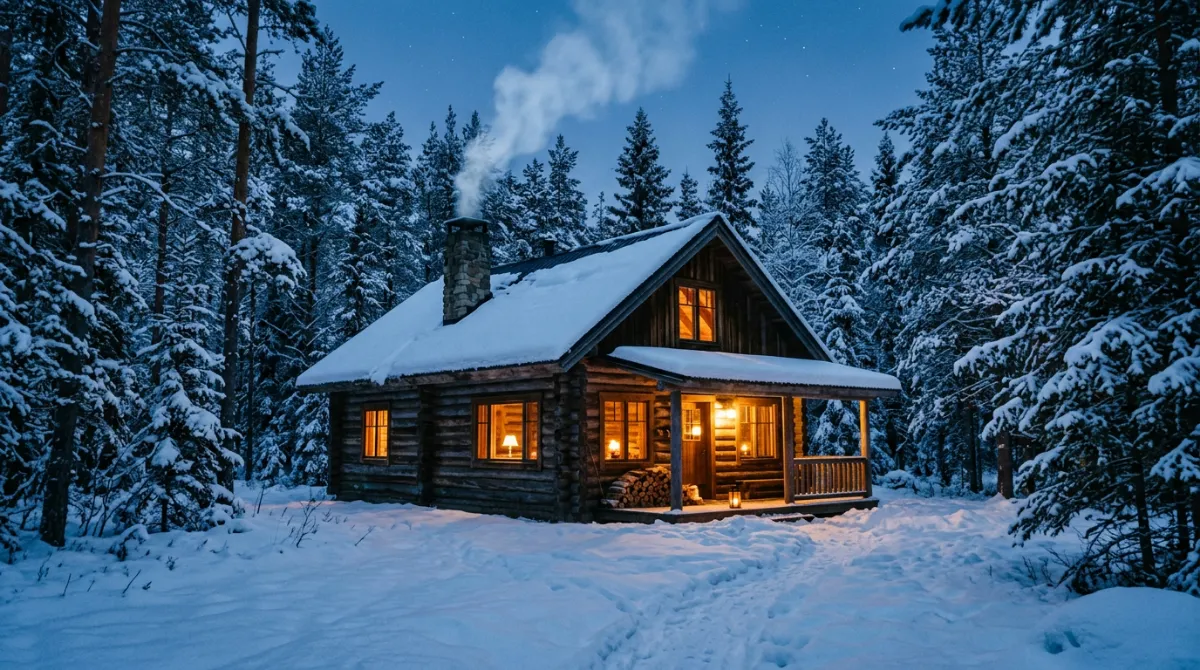
Prompt to try: "Cozy wooden cabin in a snowy pine forest at blue hour, warm light in the windows, smoke from the chimney, painterly illustration, soft grain."
GPT Image 2: text, layout and instructions
GPT Image 2 is OpenAI's image model. It costs 8 credits per image at 1K.
Where it shines
- Readable text. Signs, labels, packaging, menus, posters and thumbnails with a headline — it is the model most likely to spell the words correctly.
- Layouts. Infographic-style images, product mock-ups with callouts, and scenes with several objects in specific positions.
- Long, detailed prompts. It follows multi-part instructions well ("on the left… on the right… in the top corner…").
Watch out for
- Output is 1K, so it is best for social posts, thumbnails and web images rather than print.
- Photographic realism is good but can look a little "clean" compared with Nano Banana 2.
Prompt to try: "Minimal poster for a coffee shop opening, large bold headline 'OPEN SUNDAY', a single latte with heart art in the center, cream background, modern sans-serif typography."
Quick chooser
| You want… | Pick | | ------------------------------------------------- | ----------------- | | A realistic photo of a person, product or place | Nano Banana 2 | | To change part of an existing photo | Nano Banana 2 | | The same product or character across many images | Nano Banana 2 | | A print-size or 4K image | Nano Banana 2 | | Lots of options cheaply, or stylized art | Seedream 5.0 Lite | | Words, a logo text or a headline inside the image | GPT Image 2 | | A precise layout with several elements | GPT Image 2 |
A cost-smart workflow
Because the models price differently, mixing them is often the best approach:
- Explore with Seedream 5.0 Lite. Generate four variations of the idea for 32 credits.
- Refine with Nano Banana 2. Upload the best one to the AI Image Editor and ask for specific changes. One 1K edit costs 10 credits.
- Add text with GPT Image 2 if the final needs a headline or label, or add the text afterwards in a design tool for full control.
- Animate it. Any image can go straight into Image to Video with Animate it.
A finished, edited image made this way typically costs 40–60 credits — less than the price of a single 5-second video draft.
Editing with reference images
All three models accept up to four reference images in the editor. A few habits make editing far more reliable:
- Say what to keep. "Keep the product and the lighting exactly the same; change only the background."
- Name the images. "Put the jacket from image 2 on the person in image 1."
- One change at a time. Big multi-part edits are more likely to drift. Chain small edits instead.
- Use the same aspect ratio as the image you are editing, so nothing gets cropped or stretched.
How to compare them yourself
The fairest test is to run one prompt through all three:
- Write a prompt that reflects your real use case — a product shot, a thumbnail, a portrait.
- Generate one image with each model at its standard resolution: Nano Banana 2 at 1K (10 credits), Seedream at 2K (8), GPT Image 2 at 1K (8). That's 26 credits for a full comparison.
- Compare them at the size they will actually be used.
- Save the winning prompt and model as your template for the rest of the series.
Every result is stored in My Creations with its prompt and settings, so you can come back to the comparison later.
Commercial use and ownership
Images you make with paid credits can be used commercially under our Terms of Service, and downloads have no watermark. Model names are trademarks of their respective owners; Dola AI accesses them through licensed API providers and is not affiliated with Google, ByteDance or OpenAI.
Summary
There is no single best image model — there is a best model for each job. Nano Banana 2 for realism, editing and 4K; Seedream 5.0 Lite for cheap exploration and stylized art; GPT Image 2 for text and layouts. Start with the chooser above, test with one shared prompt, and keep the combination that fits your work.